

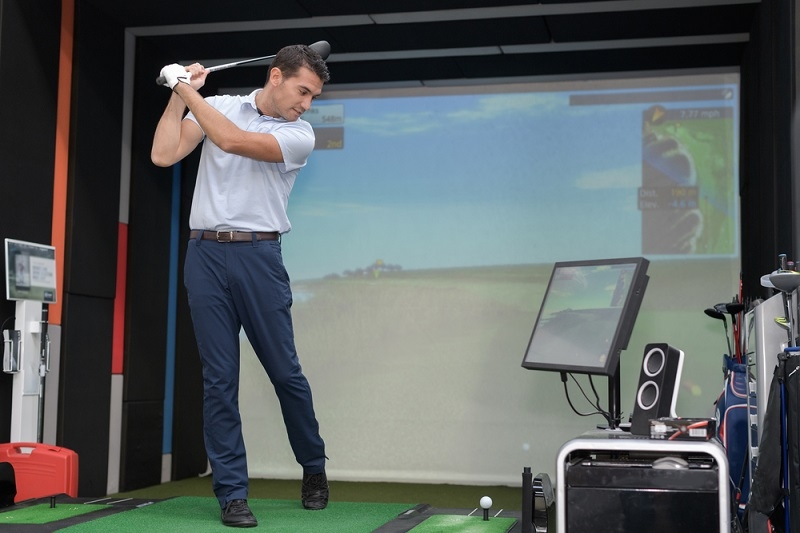
Creating a golf simulator setup that feels natural starts with the right display. Most people focus on sensors and mats first, but the projector is what shapes the entire experience. A good golf simulator projector pulls you into the course with clear visuals, smooth color, and a screen that responds well to every swing. If you are building a home setup or planning a business golf simulator, the projector you choose has a direct impact on how real everything feels.
The goal here is simple. Help you understand what matters, what to avoid, and how to choose golf simulator equipment that actually works for your space. This guide covers brightness, resolution, throw distance, installation, and what separates home systems from commercial golf simulators. By the time you reach the end, you will know exactly what to look for and what makes one projector better than another.
A golf simulator projector is not just a display. It creates the environment you play in. When the image looks flat or washed out, the entire setup feels cheap. When the picture is bright and sharp, the course feels natural and gives you a clean view of ball flight, slopes, trees, and fairways.
Most people underestimate how much clarity influences performance. A clear picture helps you judge distance better. Good contrast helps you follow the ball against the sky. A bright display makes a difference when the room has ambient light. These small details add up, especially when you practice regularly. This is true for home users and commercial golf simulators that run all day.
Explore more: Top Accessories to Get with Your New Home Projector
When you look at projectors online, the specs can feel overwhelming. Instead of trying to compare everything at once, focus on the parts that affect a golf simulator setup the most.
Brightness decides how well the image holds up in different lighting conditions. For most home setups, 2500 to 3500 lumens is usually enough. If your simulator room has windows or overhead lights, go higher.
For a business golf simulator or commercial golf simulators with multiple bays, brightness becomes even more important because those areas often have shared lighting. Around 4500 to 5000 lumens gives you a clear and consistent image throughout the day.
A golf simulator projector should deliver enough detail to make the course feel real. Most entry setups use 1080p, which works fine for casual play. If you want a sharper picture or plan to use a large impact screen, 4K is worth it.
Throw ratio tells you how far the projector needs to be from the screen. This is one of the most important specs in a golf simulator setup because the projector cannot sit too close to your swing path.
Short throw projectors work well in garages or tight rooms because they create a large image without needing a deep space. This is also useful in a business golf simulator where you want multiple hitting bays in a limited area.
Color accuracy helps the simulator software look alive. Strong contrast makes the ball easier to see during flight. Many projectors include preset picture modes for sports and gaming. These modes can make the greens look richer and the sky cleaner, which improves the experience.
Projectors use either lamps or laser light sources. Lamp models are cheaper upfront but require replacements over time. Laser projectors last much longer, stay brighter, and are better suited for commercial golf simulators that run daily.
Also check: 7 Tips for Choosing the Best Projector for Home Use
Every room is different, so the best golf simulator projector depends on how you plan to use your space. Think about your goals, not just the specs.
A home golf simulator setup does not need the same heavy duty hardware a business golf simulator needs. If your room is dark and you plan to use a mid sized impact screen, a 1080p short throw projector is usually enough. Look for good color accuracy and at least 2500 lumens. This creates a bright and clean image without overpaying for features you may not need.
If you want a large screen or you enjoy playing high-resolution simulator software, 4K projectors give you more detail and better overall realism.
A business golf simulator has different requirements. Durability matters. Brightness matters. Reliability matters.
For these systems:
These features protect your investment and guarantee a consistent image for every customer.
Setting up a golf simulator projector is easier when you follow a plan. Small adjustments in placement can make a big difference.
Measure your ceiling height, distance to the screen, and the space between your swing area and the projector line. This prevents shadows and keeps your swing path free.
Ceiling mounting works well because it keeps the projector out of the way. Some people mount it behind the hitting area while others attach it slightly off center using lens shift.
A taller screen gives you a more natural swing zone. Many players prefer a 4:3 aspect ratio for golf because it fills more vertical space. If you choose a widescreen layout, make sure your simulator software fits the display properly.
Use a cage or cover if the projector sits close to the ball path. Even experienced players hit the occasional stray shot.
Many first time builders run into the same problems when choosing a golf simulator projector.
Avoiding these mistakes makes the entire setup easier to maintain.
Must Read: Top Movie Projectors Under $300 for Cozy Home Spaces
Choosing the right golf simulator projector is one of the most important steps in building a realistic indoor golf space. A good projector improves picture clarity, boosts immersion, and gives your simulator software the visual quality it needs to feel natural. When you combine the right brightness, resolution, throw distance, and installation strategy, the entire golf simulator setup becomes more enjoyable and reliable.
Whether you are designing a home practice area, planning a business golf simulator, or setting up commercial golf simulators, the same principle holds true.
Curious about the basics? Here are a few quick answers.
At least 2500 lumens for home setups. For commercial golf simulators, 4500 lumens or more is better.
It can, but short throw models work better because they fit the space and avoid shadows.
Yes. Laser models last longer, stay brighter, and handle daily use without much maintenance.
This content was created by AI